How often should I run my robotic pool cleaner depends on your pool’s specific conditions, but most pool owners find daily or every-other-day operation keeps water clear and chemical balance stable. The frequency you choose affects both water quality and your energy bill, so matching it to your actual needs prevents both neglect and unnecessary runtime. Your pool’s size, surrounding environment, and bather load all play a role in determining the ideal schedule.


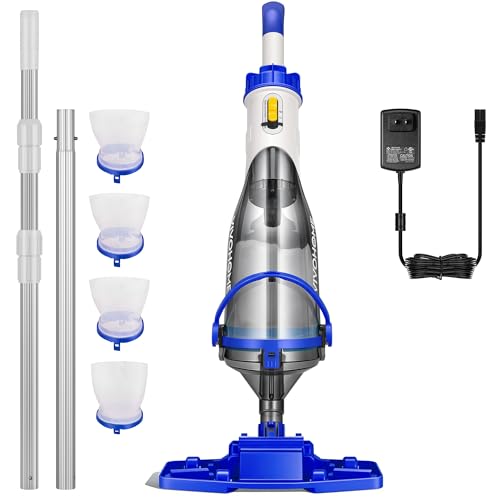
![[2026 NEW] C1 Robotic Pool Cleaner with 180Mins, Deep Gray](https://m.media-amazon.com/images/I/41dtMJtlXbL._SL500_.jpg "[2026 NEW] C1 Robotic Pool Cleaner with 180Mins, Deep Gray")

Daily Use for High-Traffic or Debris-Heavy Pools
If your pool sees frequent use, sits under trees, or you live in a dusty climate, running your robotic cleaner daily is often the best choice. Daily operation keeps debris from settling on the floor and walls, where it becomes harder to remove and can harbor algae growth. This schedule is especially important during seasons when leaves, pollen, or dirt naturally accumulate faster.
Daily runs also help maintain consistent water chemistry by preventing organic matter from breaking down and throwing off your pH or chlorine levels. If you notice algae spots forming between cleaning cycles or visible debris after just one day, daily operation is your answer.
Every-Other-Day Cleaning for Average Conditions
Most residential pools in moderate climates do well with every-other-day operation. This frequency removes debris before it accumulates enough to affect water clarity, while reducing wear on the cleaner and your energy costs compared to daily use. It strikes a practical balance for pools that don’t have extreme debris loads or heavy use.
Every-other-day schedules work particularly well if your pool is covered when not in use or sheltered from heavy leaf fall. Monitor your water clarity between cycles; if it stays crystal clear, you can confidently stick with this routine.
Two to Three Times Weekly for Low-Debris Pools
If your pool is indoors, well-sheltered from wind and trees, or used only occasionally, running your cleaner two to three times per week may be sufficient. Low-debris environments don’t accumulate dirt as quickly, so less frequent cleaning still maintains acceptable water quality. This schedule minimizes energy use and equipment wear when conditions allow.
Even with infrequent use, monitor your pool’s appearance weekly and adjust upward if debris or algae spots appear. Some weeks may need an extra cycle depending on weather or unexpected debris.
Seasonal Adjustments Matter
Your cleaning frequency should shift with the seasons. Fall and spring typically demand more frequent runs due to leaf and pollen fall, while winter in cold climates or summer in arid regions may require less. If your pool is actively used during certain months, increase frequency during those periods to handle higher bather loads and organic matter.
Track how your pool looks after each cycle across different seasons, then adjust your standard schedule to match. This prevents over-cleaning during naturally cleaner periods and ensures adequate cleaning when debris naturally rises.
Bather Load and Usage Patterns
Heavy pool use introduces more organic matter, sunscreen residue, and debris per day. If your pool hosts frequent gatherings, children’s activities, or is used daily by multiple people, daily or every-other-day cleaning becomes necessary to maintain water quality. Light personal use allows you to stretch cleaning intervals longer.
After hosting a pool party or heavy-use day, running your cleaner the following day helps clear the extra load before it affects water chemistry or clarity.
Water Chemistry as a Schedule Guide
If you’re struggling to maintain stable pH, alkalinity, or chlorine levels, insufficient cleaning frequency is often the culprit. Debris and organic matter consume chlorine and shift pH, making your chemicals work harder. Increasing your cleaning schedule can reduce the chemical adjustments you need to make each week.
Conversely, if your chemistry stays perfectly balanced with minimal adjustment, your current schedule is likely ideal. Let your test results guide you; they’re a reliable indicator of whether you’re cleaning enough.
How to Find Your Ideal Schedule
- Start with every-other-day operation and observe water clarity, debris accumulation, and chemical stability over two weeks.
- If debris builds up or algae spots appear, increase to daily runs or adjust based on when problems emerge.
- If water stays clear and chemistry is stable, try extending to three-times-weekly and monitor closely for changes.
- Adjust seasonally when debris load or usage patterns shift noticeably.
- Check your pool filter and cleaner basket weekly to ensure the equipment is functioning properly and not clogged.
- Keep a simple log of when you run the cleaner and any water issues you notice to identify patterns over time.
Your ideal schedule emerges from observation, not guesswork. What works perfectly for your neighbor’s pool may not match your conditions, so give yourself permission to adjust based on what your pool actually needs.
Frequently Asked Questions
Can I run my robotic pool cleaner every day without damaging it?
Yes, most robotic cleaners are designed for daily operation. However, check your equipment’s manual for any specific runtime limits. Daily use increases wear on brushes and motors over time, so inspect your cleaner regularly and follow the manufacturer’s maintenance schedule to extend its lifespan.
What happens if I don’t run my robotic cleaner often enough?
Infrequent cleaning allows debris to accumulate, settle, and decompose, consuming chlorine and destabilizing water chemistry. Algae can begin growing on neglected surfaces, and your filter works harder to compensate. Water clarity suffers, and you’ll spend more on chemicals trying to maintain balance.
Should I run my cleaner at night or during the day?
Nighttime operation is often preferred because it doesn’t interfere with swimming and allows debris to settle overnight before cleaning. However, the timing is less important than consistency. Choose a schedule you’ll stick to, whether that’s morning, afternoon, or night.
Does running my cleaner more often reduce the chemicals I need to add?
Increased cleaning frequency reduces organic debris that consumes chlorine, which can lower the chemical demand slightly. However, cleaning frequency alone doesn’t eliminate the need for regular chemical testing and adjustment. Both work together to maintain balanced, clear water.
How long should each cleaning cycle run?
Most robotic cleaners need two to four hours per cycle to thoroughly clean an average residential pool. Check your equipment’s specifications, but allowing a full cycle to complete ensures debris is collected and the floor and walls are brushed properly.
Related Guides
- How Long Should a Robotic Pool Cleaner Run?
- Can I Leave Robotic Pool Cleaner In Pool Overnight?
- Best Robotic Pool Cleaners for 100-Foot Pools in
- Best Robotic Pool Cleaner for Extra Long Pool
Bottom Line
How often should I run my robotic pool cleaner ultimately depends on your pool’s debris load, usage, and climate, but starting with every-other-day operation and adjusting from there works for most situations. Watch your water clarity, monitor your chemical balance, and let your pool’s actual condition guide your schedule rather than following a one-size-fits-all rule.