Your pool robot is not picking up debris because of a clogged filter, a full debris bag, worn brushes, or a tangled cord. These are the most common reasons, and each one has a straightforward fix. By checking these components first, you can often restore full cleaning power without calling a technician.

Clogged or Dirty Filter
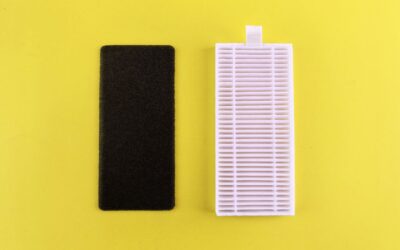
The filter is the first thing to check when your pool robot is not picking up debris. If the filter is clogged with fine particles, water can’t flow through properly, and suction drops dramatically. This is especially common after heavy rain or when leaves and dirt are abundant.
Clean the filter by rinsing it with a garden hose. If it’s a cartridge filter, inspect for tears or heavy buildup that requires replacement. A clean filter restores the robot’s ability to capture debris effectively.
Full or Blocked Debris Bag
Many pool robots use a debris bag or canister to collect leaves, bugs, and dirt. When this bag is full, the robot can’t hold any more debris, so it stops picking up. The robot may still move around, but it won’t collect anything new.
Empty the bag after each cleaning cycle, and check for blockages in the inlet or outlet. A jammed item like a twig or toy can also prevent debris from entering the bag. Regular emptying keeps the robot working efficiently.
Worn or Damaged Brushes
Brushes agitate and sweep debris toward the suction intake. Over time, bristles wear down or become tangled with hair and string. If the brushes are worn smooth or missing chunks, they can’t loosen debris from the pool floor or walls.
Inspect the brushes for wear and replace them if they look flat or frayed. Also, remove any tangled hair or debris wrapped around the brush axle. Fresh brushes make a noticeable difference in pickup performance.
Tangled or Kinked Cord
A tangled cord restricts the robot’s movement and can cause it to stall or reverse prematurely. When the cord is twisted or kinked, the robot may not reach all areas of the pool, leaving debris behind.
Straighten the cord before each use and let it warm up in the sun if it’s cold and stiff. Some robots have a swivel connection to prevent tangling, but if the cord is already kinked, it needs manual untangling.
Sensor or Programming Issues
Pool robots rely on sensors to navigate and detect debris. If a sensor is dirty or blocked, the robot may not recognize a debris pile or may skip areas. Similarly, a programming error or incorrect cleaning cycle setting can cause the robot to bypass certain zones.
Clean the sensor lenses with a soft cloth and check the robot’s manual to ensure the correct cleaning mode is selected. Resetting the robot to factory defaults can also resolve software glitches that affect debris pickup.
Low Water Flow or Pump Issues
Some pool robots are powered by the pool’s circulation pump. If the pump is running at low speed or the skimmer basket is full, water flow to the robot may be insufficient. This reduces suction and prevents debris from being pulled into the robot.
Check the pool pump and skimmer basket for blockages. Ensure the pump is running at the correct speed for the robot’s requirements. If the robot has its own pump, listen for unusual noises that indicate a clog or motor issue.
Improper Storage or Maintenance
If you store your pool robot in direct sunlight or in a hot shed, plastic parts can warp or seals can degrade. A warped seal or cracked housing lets debris escape or reduces suction. Also, a lack of regular lubrication on moving parts can cause friction that slows the robot.
Store the robot in a shaded, cool area and rinse it with fresh water after each use. Follow the manufacturer’s maintenance schedule for lubrication and seal checks. Proper care extends the robot’s life and keeps it picking up debris effectively.
How to Fix a Pool Robot That Won’t Pick Up Debris
- Clean the filter thoroughly with a hose.
- Empty the debris bag or canister.
- Inspect and replace worn brushes.
- Untangle the cord and check for kinks.
- Clean sensor lenses and reset the robot.
- Verify pool pump flow and skimmer basket.
- Store the robot properly and perform routine maintenance.
If you’ve tried these steps and your robot still isn’t picking up debris, there may be a more specific issue with your model. For additional troubleshooting tips and articles on common pool robot problems, visit our blog where we cover a range of topics to help you keep your pool clean.
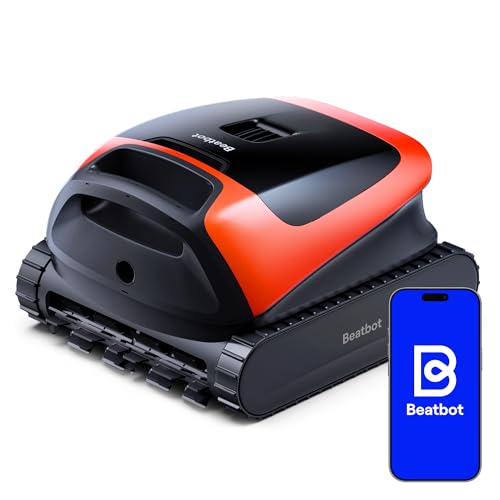
Top-Rated Replacement Picks
If the fixes above don’t solve the problem, or your current pool robot is simply worn out, these well-reviewed options are worth a look.


Frequently Asked Questions
Why does my pool robot move but not pick up leaves?
This usually means the filter is clogged or the debris bag is full. The robot can still move, but without suction or capacity, it cannot collect anything. Check both components first.
How often should I clean my pool robot’s filter?
Clean the filter after every use, or at least after each cleaning cycle when the pool is heavily soiled. A dirty filter is the most common cause of poor debris pickup.
Can a pool robot’s brushes be replaced?
Yes, most pool robots have replaceable brush sets. Check your model’s manual for the correct part number. Worn brushes should be replaced yearly or sooner if you notice reduced cleaning performance.
Why does my pool robot stop picking up debris after a few minutes?
This often indicates a clogged filter or a full debris bag that blocks water flow. The robot may shut down or enter a bypass mode. Clean the filter and empty the bag to restore normal operation.
Is it normal for a pool robot to miss some debris?
Some debris in hard-to-reach corners or on steps is normal, but if the robot consistently misses large areas, check for sensor blockages, programming errors, or a worn drive belt. Most robots have a random cleaning pattern, so running a longer cycle often helps.
Related Guides
Closing Thoughts
When your pool robot is not picking up debris, a clogged filter, full bag, or worn brushes are the usual culprits, and each is easy to fix. For more in-depth guidance on maintaining your robot and choosing the right model, browse our blog for helpful articles.